Table of Contents
- What is web scheduling?
- Before you start
- Step by step by guide
What is web scheduling?
- Web scheduling simply indicates that you will allow third-party vendors to place patients on your schedule
- You MUST enable web scheduling ER Express’ integration to write patients on to your Athena calendar.
- Even if you implement only walk-in queueing, you still must enable web scheduling.
Before you start
- First, create your walk-in and online appointment type. We recommend that you read our guide on Creating Appointment Types.
- By default, web scheduling is NOT enabled when you create an appointment type
Step by Step Guide
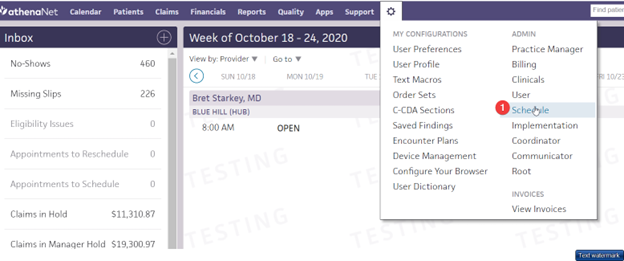
Step 1: Go to Settings > Schedule
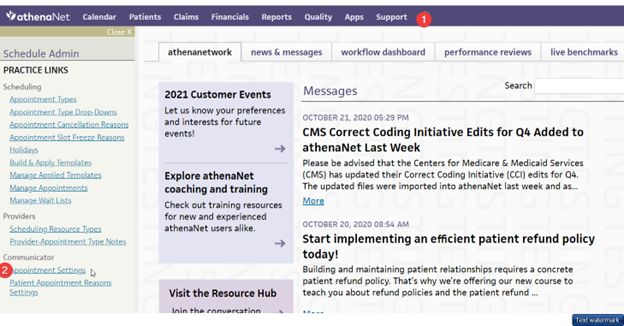
Step 2: Then click on Appointment Setting in the left sidebar
Step 3: Click on Edit Settings
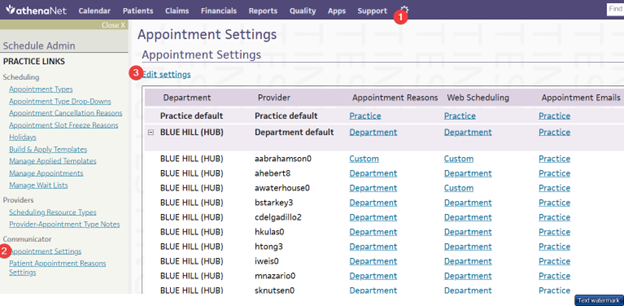
Step 4: It will look like this:
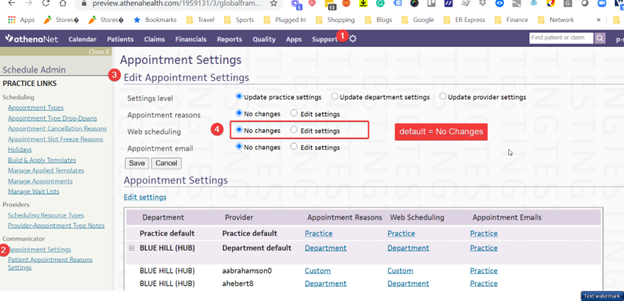
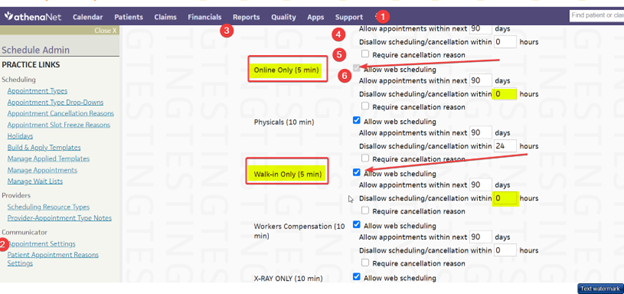
Step 5: And will show you which (if any) appointment type allow web scheduling
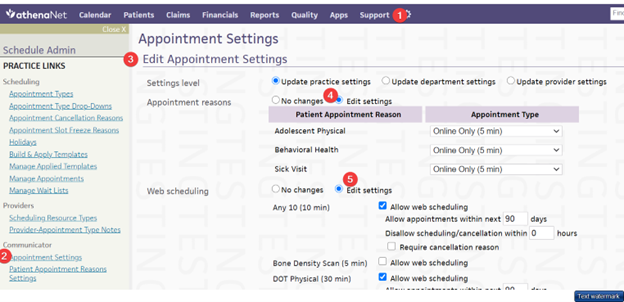
Step 6: Check the 'Allow Web Scheduling' box and set the disallow box = 0. Then remember to save.