Cross-domain tracking enables you (the health system marketing dept and/or agency) to track the patient's complete digital journey. It passes along the first-party cookie from the patient's web search to navigating the health system website to booking a reservation. With it, you can quantify the source of both traffic AND bookings. Without it, you lose the 'source' data, such as which reservations came from organic search vs. Google Ads. If you are using Google Analytics, cross-domain tracking is a must-have.
Overview of the recommended methodology:
- We use the 'GTM-inside-GTM' method
- We use custom HTML instead of custom JavaScript because it is simpler to implement and works very reliably
- The customer or ad agency needs to have access to the health system's GTM
- Add our HTML script to their tag manager (i.e., GTM inside GTM) on any page that contains the iframe
Before you get started, you will need
- Access to the health system / ad agency’s GTM container
- Landing page URL of the health system hub page and where our iFrames exist
- Custom HTML script (see below)
1. Here is the custom HTML script
Make sure you run this script through a cleaner to remove any line breaks or special characters. We recommend http://www.ubertoolz.com/demo/CleanUp.php)
<!-- Google Tag Manager --><script>(function(w,d,s,l,i){w[l]=w[l]||[];w[l].push({'gtm.start':new Date().getTime(),event:'gtm.js'});var f=d.getElementsByTagName(s)[0],j=d.createElement(s),dl=l!='dataLayer'?'&l='+l:'';j.async=true;j.src='https://www.googletagmanager.com/gtm.js?id='+i+dl;f.parentNode.insertBefore(j,f);})(window,document,'script','dataLayer','GTM-MV2JTJ');</script><!-- End Google Tag Manager -->
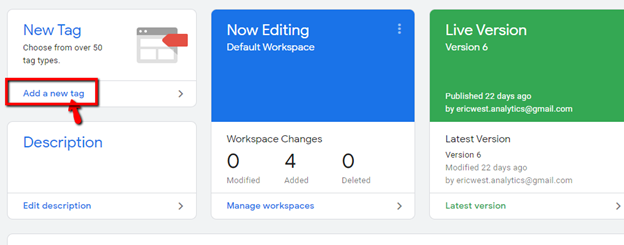
2. Create a new tag
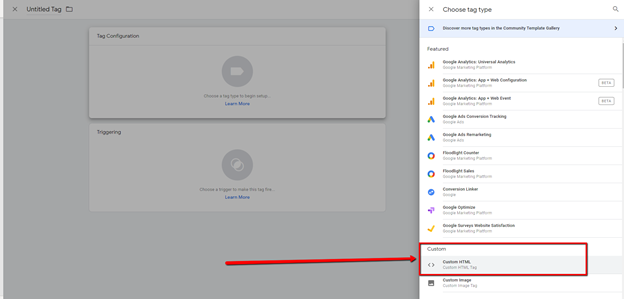
3. In the tag configuration, choose Custom > Custom HTML tag
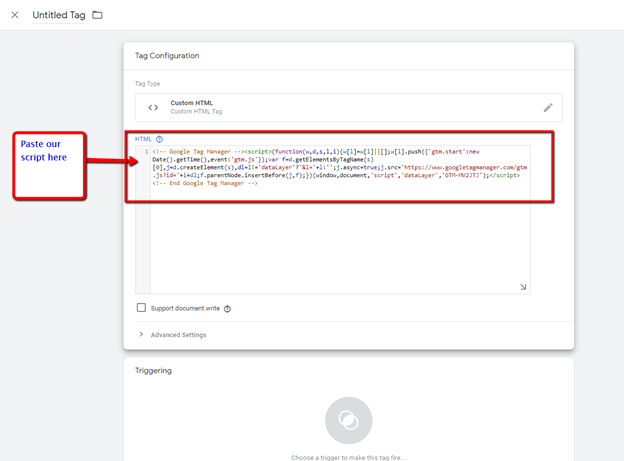
4. Copy and paste our HTML script
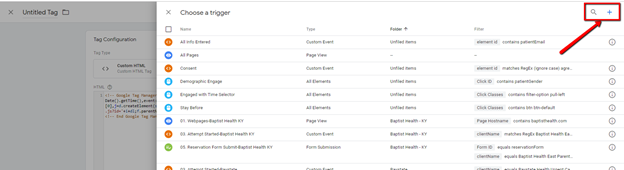
5. Choose a Trigger and click the + sign in the top right corner to create a new trigger
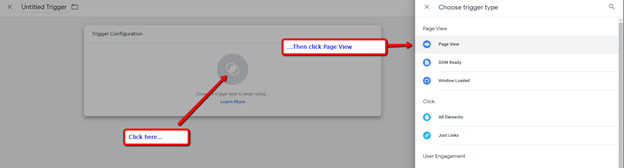
6. Click on ‘Choose a trigger type…’ and then click on ‘Page View’
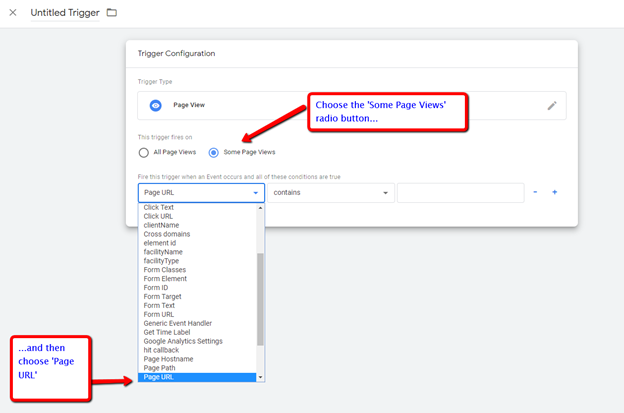
7. Choose ‘Some Page Views’ and then ‘Page URL’
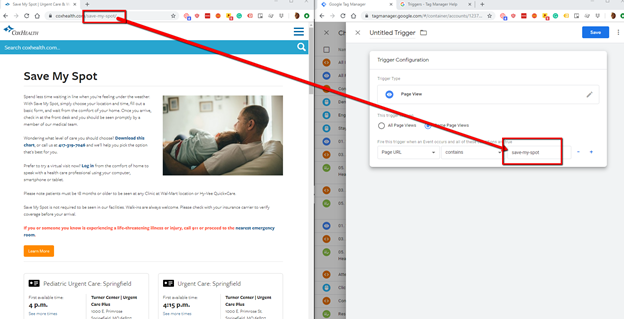
8. Enter a part of the URL that is common to all pages related to the patient journey. For example, for Cox Health, it is save-my-spot. The hub page (where all of the book-now buttons exist) and then each facility’s reservation iframe contains this URL (hub page URL https://www.coxhealth.com/save-my-spot/ and then then each location’s reservation form is like this: https://www.coxhealth.com/save-my-spot/urgent-care-springfield-pediatrics/ or https://www.coxhealth.com/save-my-spot/urgent-care-elfindale/, etc.)
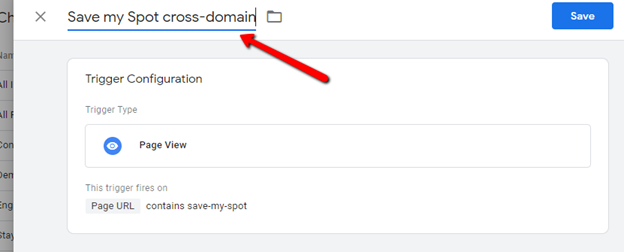
9. Give the trigger a name
10. Give the tag a name
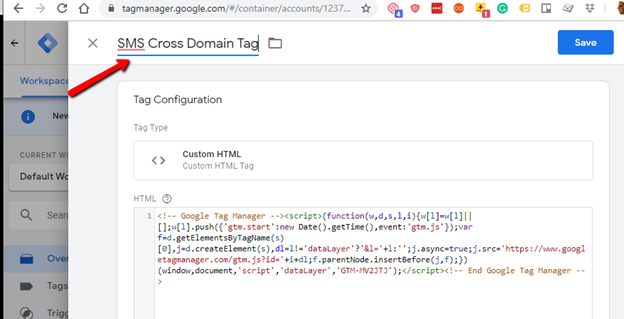
11. Publish the container! If you want to test before you publish, choose preview mode and copy the preview URL in an incognito window.
12. To test cross-domain tracking, start at the hub page. There are two methods – first, simply seeing if the GA ID gets attached to the iFrame URL, and second, opening up Chrome Developer Tools.
13. For the first method, start on the hub page, and then click on any of the book-now buttons to reach the individual facility-level reservation page. From this page, right-click and choose ‘View frame source.’
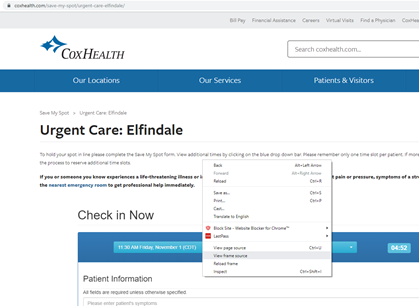
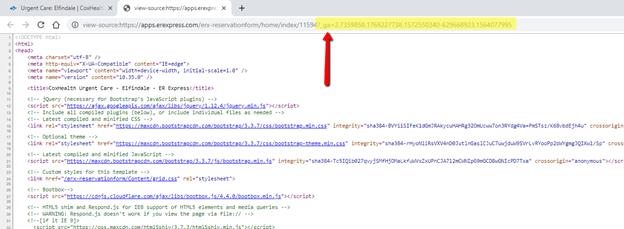
14. If cross-domain tracking is working, then the GA ID will get appended in the address field, like this:
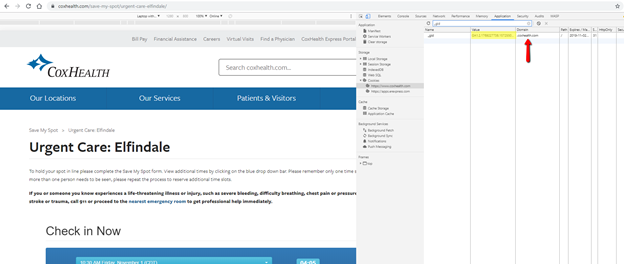
15. The second method requires opening up Chrome developer tools. First, start at the hub page. Hit the F12 key, then click on the Application tab, and then click on ‘Cookies’ under ‘Storage.’ Filter on “_gid” (to reduce clutter) and compare the gid for the health system domain and the iframe domain. They should match. In this customer example, the domain coxhealth.com and erexpress.com match.
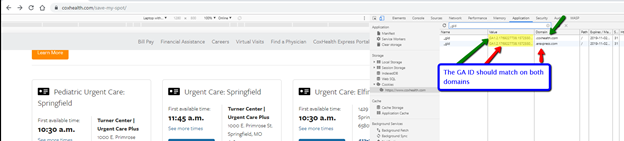
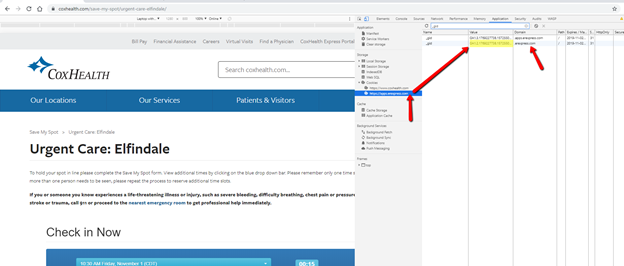
16. Then click on one of the book-now buttons to go to one of the facility reservation pages, i.e., where the iframe is embedded. Under cookies, you will now see two domains. Click on the health system domain (in this example, coxhealth.com) and will see the _gid value
Then click on the apps.erexpress.com domain and compare the _gid value. It should match (note: the GA ID on the apps.erexpress subdomain will likely be different and does not mean cross-domain tracking is not working).
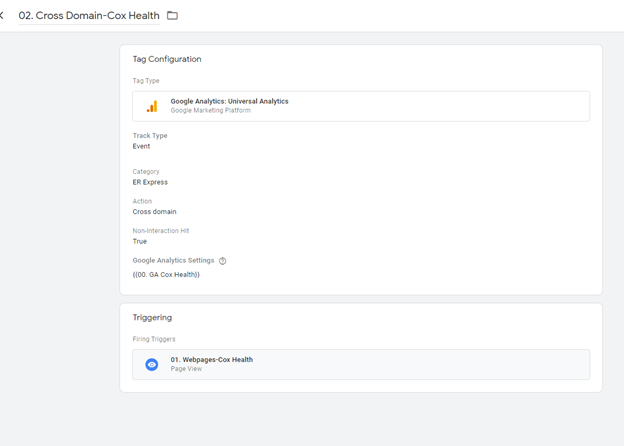
17. Additional Updates needed for ERX GTM [ER Express makes these updates in its own GTM container; these steps are FYI for the health system/marketing agency).
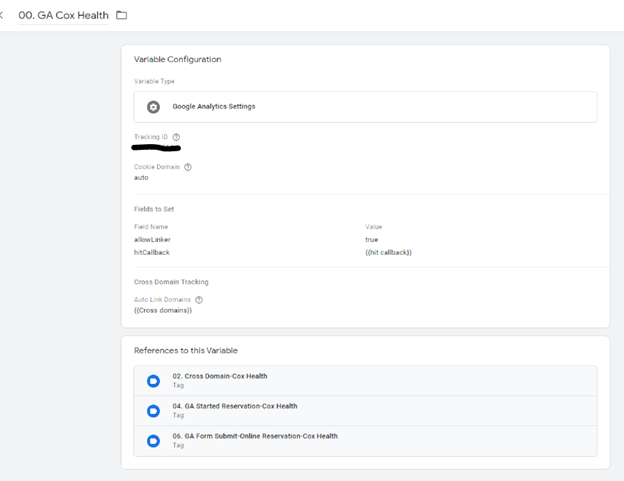
18. Add client Universal Analytics Code as a variable.
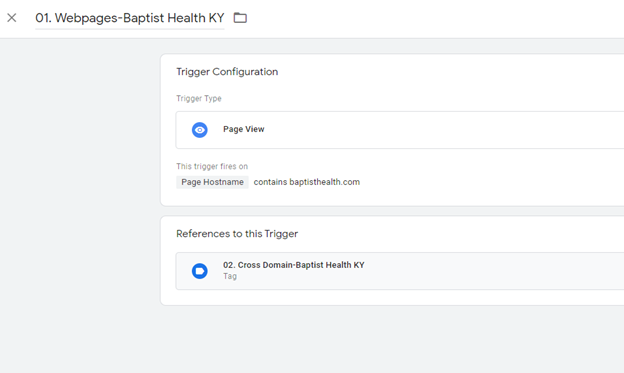
19. Add a trigger to fire on the client’s domain:
20. Add a tag to set the client ID on the client hostname
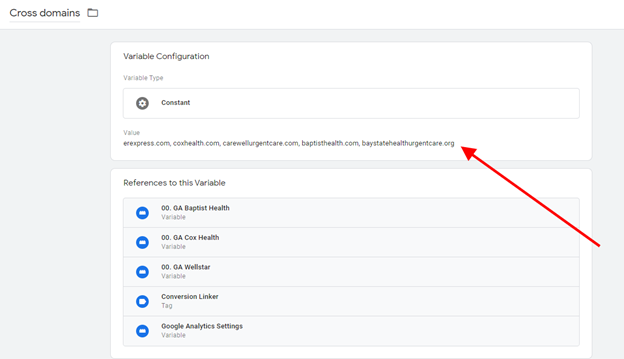
21. Add the client’s domain to the variables “Cross Domains”
FAQs
Why do we need to do this? This allows us to tie the user session on the form with that of the user that existed on the parent domain. This includes the pages viewed by the user, how they arrived on the site, their devices, etc. This allows clients to better understand how users are engaging with your marketing and content.
Does adding this script send all of our web traffic to ER Express? No. Just traffic related to patients making reservations, and just the source (pay per click, Google, Bing, etc.) of the traffic.
Why not use the Linker plug-in that Google recommends? The linker plug-in does not work for iFrames.
Does this work for all types of traffic (e.g., Facebook)? This is mostly unneeded for other platforms. Most third party tools, such as Facebook/Twitter/Linkedin/Google Ads/Bing Ads/etc are domain agnostic, so cross domain tracking is less needed than it would be for Google Analytics.
How do we test it to make sure it works? In short, from any reservation landing page (i.e., where our iframe is embedded) you can view the frame source and see if the GA ID is getting appended to the iFrame. We have included screenshots below.
Can we turn this off (for example, if we terminate our contract with ER Express)? Simply deactivate the tag in your GTM container.
Example video of how to Implement
- (from Cox Health) – about 11 minutes: https://zoom.us/recording/share/t5BJaFfYvVxAhUCOfmmcMkH9MbP1jdGZnajsEH4WCbCwIumekTziMw
- (from Baptist Health; starts at 2:29): https://zoom.us/recording/share/elsBpJ8y_pmhxfsax8tsiDdAfvmYzP6tmMp6ZoAyae2wIumekTziMw