Users that have access to this feature: Site admin, Full patient management, Limited patient management.
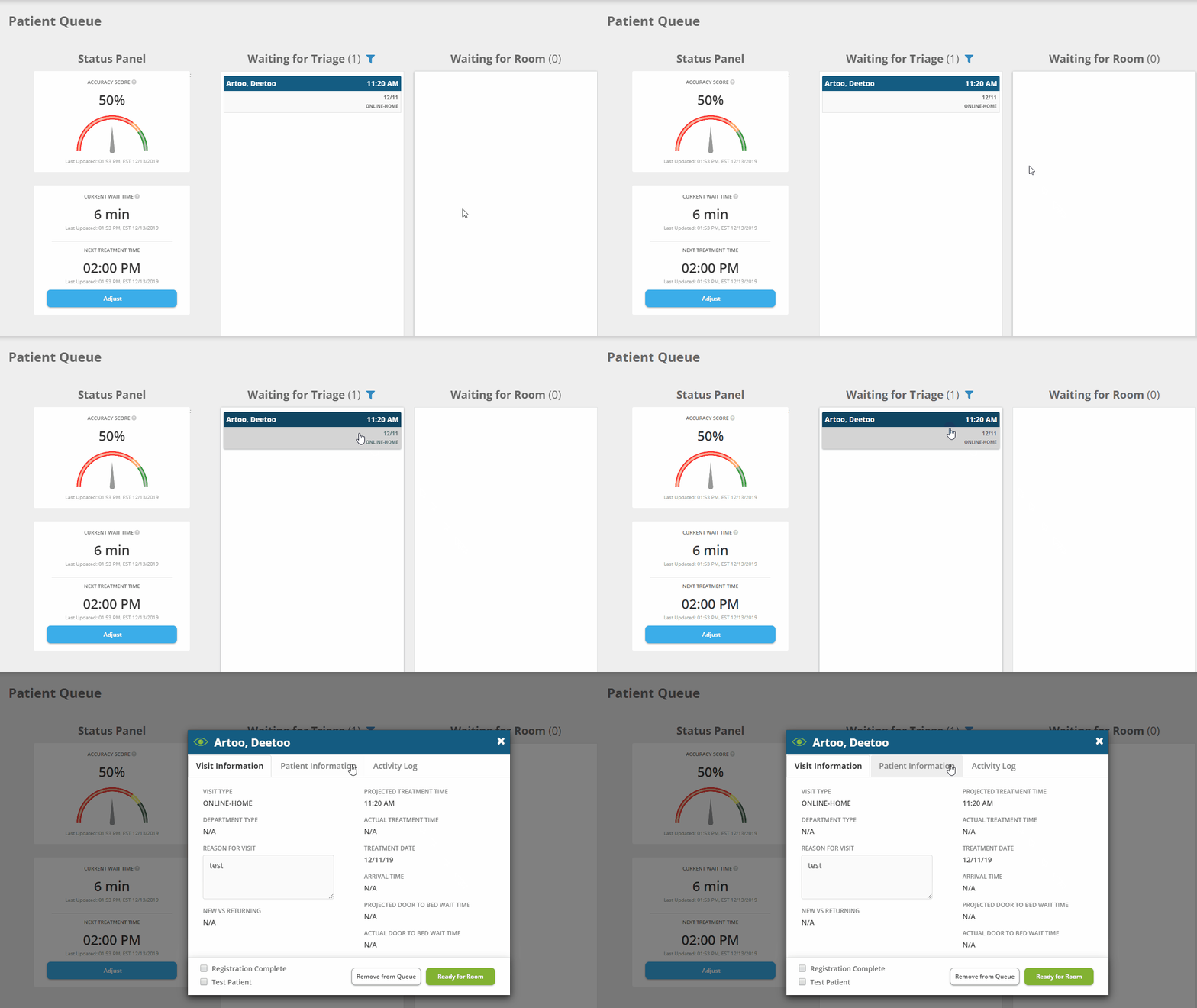
Step 1: Navigate to the “New/Waiting” queue, then click on the patient card to interact with the patient record.
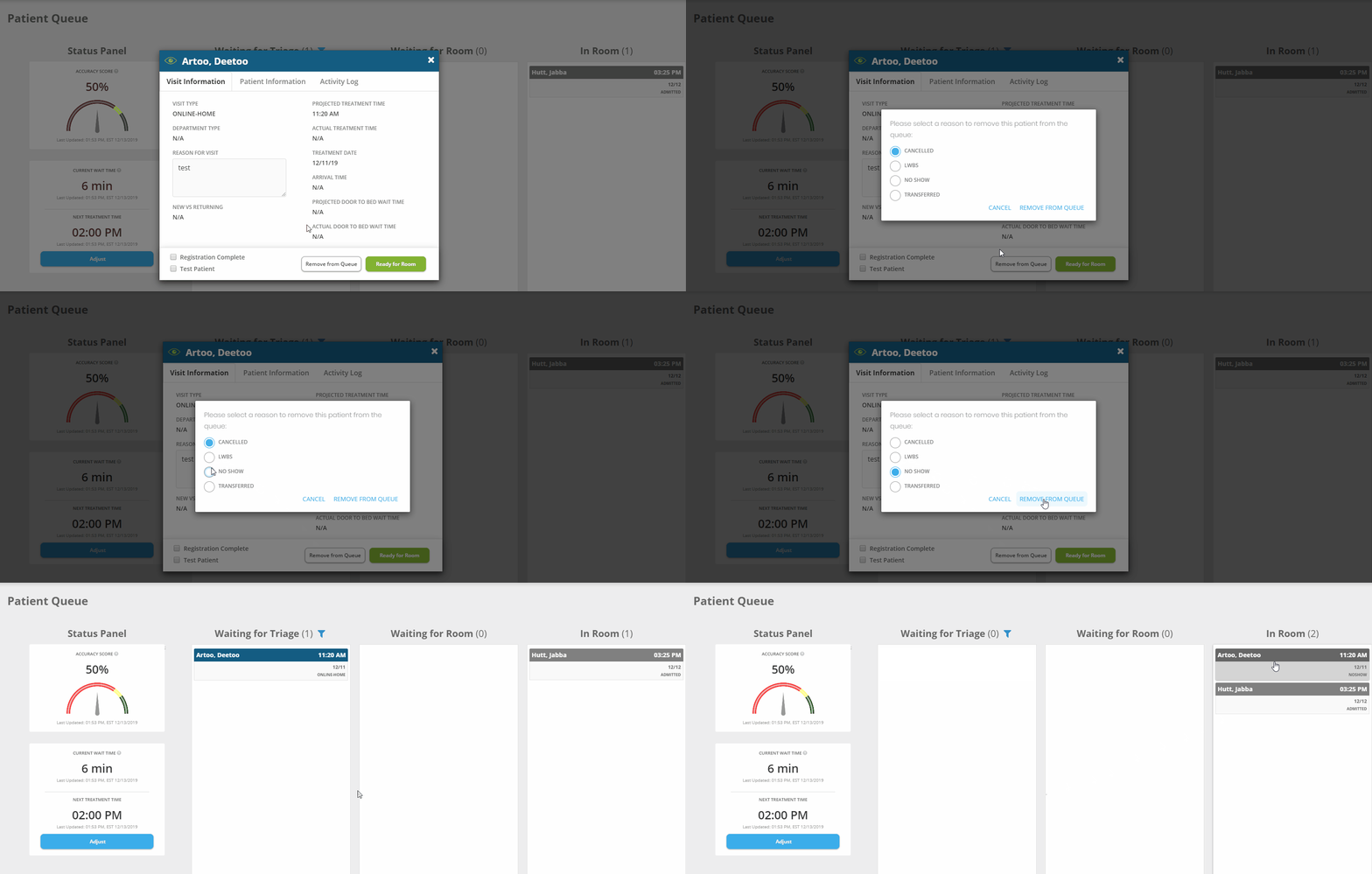
Step 2: Click on the “Remove from Queue” button at the bottom right-hand corner of the modal, then select a reason for removal from the list, then click “Remove from Queue.” The patient card will now appear in the "Discharged" queue. Note: LWBS = left without being seen.